 Synetix Systems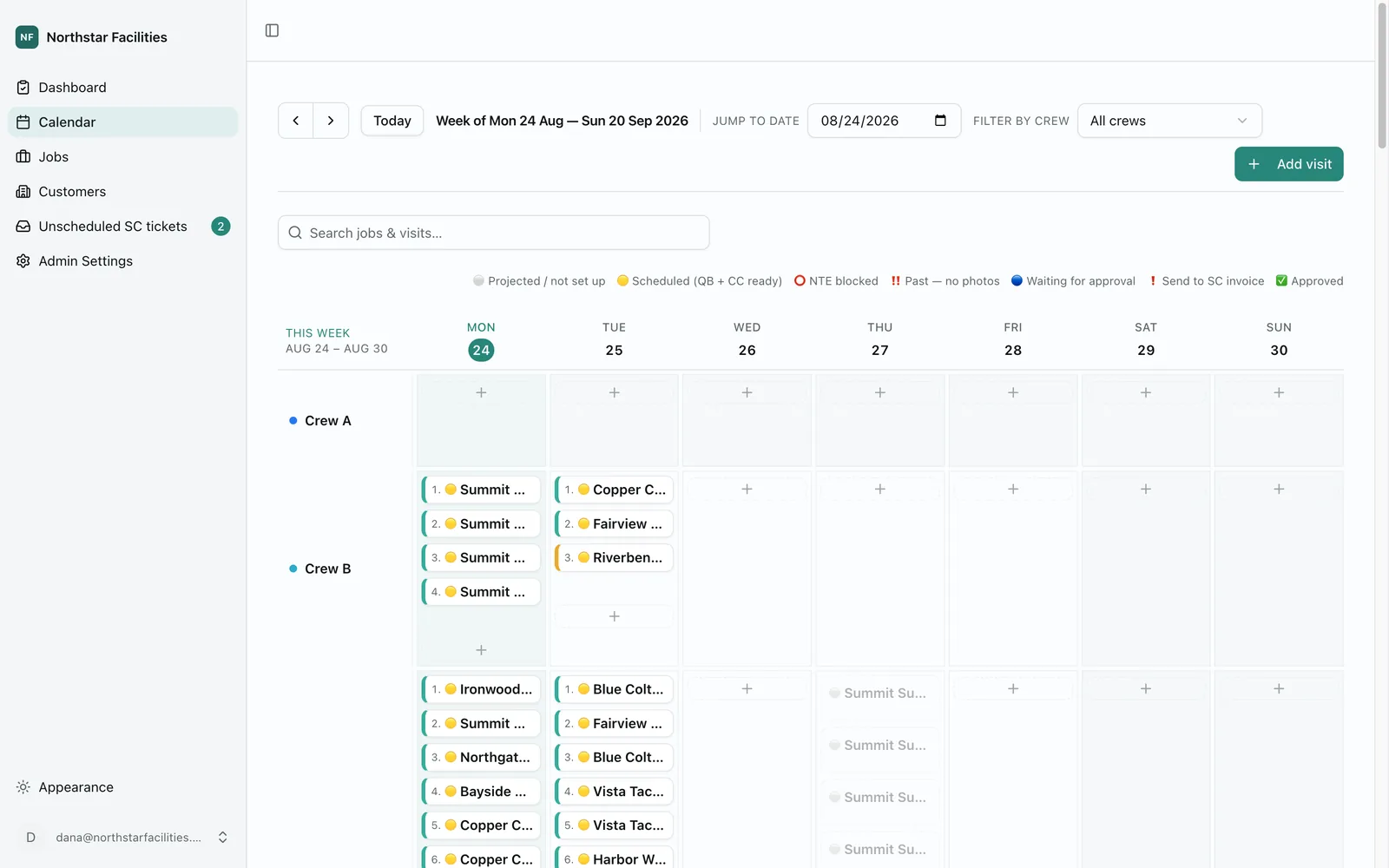
- Recovered in the office every week
- 5–10 hrsRecovered in the office every week
- Client sites scheduled and billed from one place
- 350+Client sites scheduled and billed from one place
- Systems kept in sync, with nothing retyped between them
- 4Systems kept in sync, with nothing retyped between them
Most service businesses run on two questions. Who is doing which job today, and has that job been billed yet. Almost every one of them can answer both. The answers just live in four different places, and someone spends their day carrying information between them.
This is what that looked like for one commercial cleaning company, and what we built instead.
Why a scheduling spreadsheet stops working
The schedule lived in a spreadsheet. Two weeks out, crews down the side, days across the top.
It worked, in the sense that it had always worked. But a spreadsheet does not know anything. It did not know which jobs repeated. It did not know a crew was on vacation on Thursday. When a customer asked to move, the only way to tell the crew was to send the file again.
The invoices lived in accounting software, and they got there by retyping. The larger accounts sent their work through a separate system with its own numbers and its own spending limits. The photos that proved the work was done lived somewhere else again.
None of these systems knew about each other. So someone opened four tabs every morning and became the connection.
If that sounds familiar, the shape of the problem is usually the same three things, and the third one matters most.
- The spreadsheet is not the schedule. It is a picture of the schedule. The rest lives in one person's head, and it leaves when they do.
- The copying is not the expensive part. Moving a number between two systems takes ten seconds. Finding out three weeks later that it went in the wrong place does not.
- Nobody can practice. Every button that matters sends something real to a real customer, so the safest thing to do is keep using the spreadsheet.
One app for scheduling, invoicing and proof of work
We replaced all four tabs with one application the office runs the business from.
- 01
Schedule
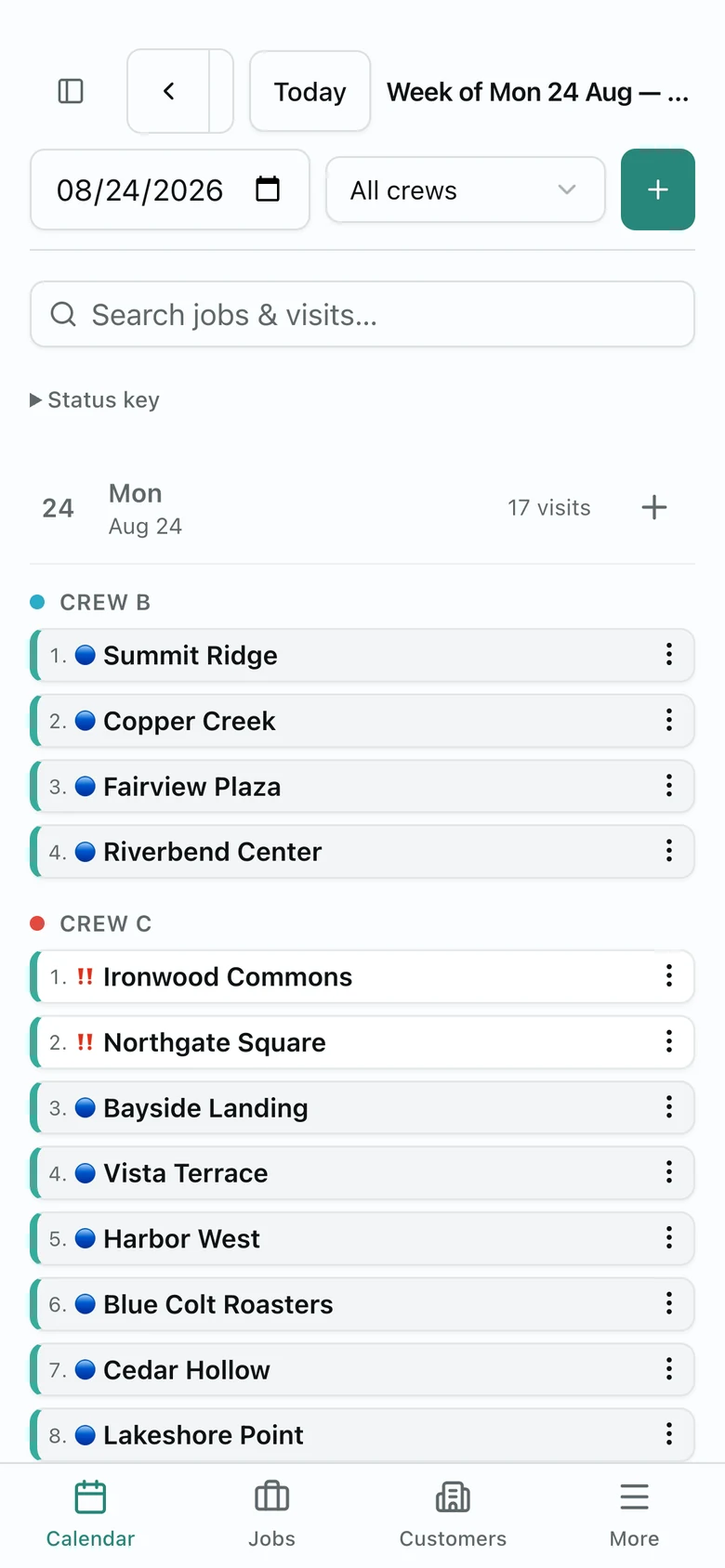
Repeating work fills the next two weeks in on its own. Crews are rows. Vacation days block them and push work to the next working day.
- 02
Finalize
Sunday night locks the coming week, raises the draft invoices, and emails every crew their days.
- 03
Approve
One button checks the spending limit, sends the invoice with the photos attached, and marks the job billed.
| System | Before | Now |
|---|---|---|
| Accounting | Every job retyped as an invoice | The invoice is raised for you |
| Customer work orders | Numbers copied by hand, limits checked from memory | The limit is checked, the invoice goes back with proof |
| Job photos | Links pasted wherever they were needed | The photo album is created and linked for you |
| Schedules re-sent by hand after every change | Each crew gets their days, and only affected crews get an update |
The crew calendar
This had to be right before anything else mattered. A wrong invoice is an awkward phone call. A wrong date is a crew standing outside a locked building.
Repeating jobs are real entries on the calendar, not a rule that generates them. That matters more than it sounds. It is the difference between an office that can move one job one day, and an office that has to change a rule and hope.
The hard part is invisible when it works. Several things fill the schedule forward, and any of them can run twice or at the same time. They all have to land on exactly one entry per visit. Get that wrong and you do not see an error. You see two crews sent to the same place, and nobody notices until one of them calls.
Vacations are the same trap. When a job moves off a blocked day, the next one has to count from where it should have been, not from where it landed. Otherwise one vacation week moves a weekly job onto a different day forever.
Approving a job in one click
Approving a finished job used to mean opening three systems in the right order.
Now it is one button. It checks the customer's spending limit against the real invoice total, because weeks can pass between those being set and either one can change. Over the limit, nothing is sent. The app asks for the limit to be raised and holds the job. Under it, the invoice and the photos go where the customer expects them.
That check is the part worth copying. Automation earns its trust by refusing to do the wrong thing, not by doing everything faster.
A practice mode for a system with real side effects
The office was never going to trust a system whose buttons sent real invoices to real customers, until they had watched it not do that.
So the whole app has a practice mode. Turn it on and every outgoing action is recorded instead of sent. You can see exactly what would have happened, then run it for real with one click.
This was not a training feature. It is what let the office start using the system at all, and we now build it into anything that touches a customer.
When it is worth replacing the spreadsheet
The details change by industry. The shape does not. This work pays for itself when four things are true:
- The same jobs repeat on a schedule, and a person rebuilds that schedule by hand.
- The same facts get typed into more than one system.
- Somebody checks a limit, a rate or an approval from memory.
- Proof of work (photos, signatures, notes) lives apart from the invoice it belongs to.
Every one of those is a place where the office is acting as software. That is the work worth moving into an application, and it is usually a few weeks of it, not a year.